Searchable PDFs on iPhone, With On-Device OCR
A scan is a picture of a page. A searchable PDF is that picture with the words sitting behind it, so search, selection and copy all work.

What the text layer really is
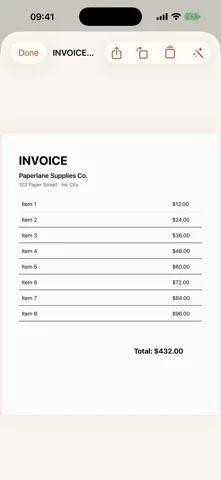
Two things are drawn onto every page of a searchable PDF. First the photograph of the paper, which is what you see. Then, on top of it, every recognized word, positioned over the place it was found and drawn in fully transparent ink. You never see the second layer. A PDF reader does, because for the reader those are real glyphs in the file.
That is why search highlights the right spot on the page, why you can drag across a line and copy it, and why the file still looks exactly like the paper it came from. It also explains the one thing people find surprising: a searchable PDF is not smaller or cleaner than a plain scan. It is the same picture with information added.
How to check whether a PDF is searchable
- Open the PDF in Files. Any reader works, but Files is on every iPhone.
- Search inside the document for a word you can see. Pick something distinctive, like a supplier name or an invoice number.
- Watch for the highlight. If the word is found and marked on the page, there is a text layer. If the search finds nothing, the file is only a picture.
- Try to select a line of text. If the whole page selects as one block, or nothing selects at all, there is no text layer.
Live Text can read words out of an image on screen even when the file itself has no text layer. That is a feature of the viewer, not of the document. Send the file to someone on a laptop and the difference shows up immediately.
In Paperlane it happens when you save
When you tap Save on the review screen, the pages go through Apple's Vision framework once. That single pass does two jobs: it writes the invisible text layer into the PDF, and it hands the plain text to the library so search can use it. Both happen on the iPhone, and both are free.
The practical consequence is the library search field. It does not only match document titles. It matches the recognized text, so typing a word that appears in the body of a document finds that document. Two years of paper becomes something you can query.
The same pass supplies the document name. The first recognized line that is long enough becomes the title, with the date after it, which is why a scanned invoice arrives in the library already called by the name of the company that issued it.
Getting the text out as a file
These are part of the one time Paperlane Pro purchase, because the extraction is the part that saves real work:
- Copy textThe whole recognized text of the document on the clipboard, ready for a message or a form.
- Export .txtA plain text file. Small, universal, and easy to feed to anything else.
- Export .docxA Word document built on the device, which opens in Word, Pages and Google Docs.
- Smart renameNames the document from its content. On iPhones with Apple's on device model available, the model writes the name; otherwise a rule based name is used. Either way nothing is sent off the phone.
Where recognition fails
An honest list, because no scanner app is exempt from it. Handwriting is unreliable. A page photographed at a steep angle in bad light loses whole lines. Faded thermal receipts are the hardest case in the category. Dense multi column layouts often come back with the columns interleaved. Scripts your iPhone does not recognize will not appear at all.
Paperlane uses Apple's on device recognition with language correction enabled, which means accuracy tracks iOS rather than a vendor's own model, and it improves when the system does. It also means there is no fallback where a difficult page is quietly sent to a server for a second opinion. If the phone cannot read it, the app does not read it.
Get Paperlane
Free on the App Store, iOS 17.0 or later. Rated 5.0 out of 5 from 1 rating.